
VirtualBox 7.2.20
In a world where adaptability is everything, VirtualBox stands out as a powerful, open-source virtualization tool that gives Windows users the freedom to run different operating systems on a single machine.
- Open source
- Windows
- macOS
- Linux
- Nov 13, 2026
a81777d2b36380ce042a29e9c554cf032eb46a793f62e3cc82e7411e535c2c26VirusTotal report ↗d01cf47638f212a5e62d0ec836998e1833b16e54ba7f4f106b48178509027aa8VirusTotal report ↗04b25e10058a4e0e561498db05c456f9705b8315e3535522d30af5bc9cc06cd7VirusTotal report ↗8d171af268b08b3416978d09fd2d6a22866962172891d02b906ad2a87e55752fVirusTotal report ↗Screenshots
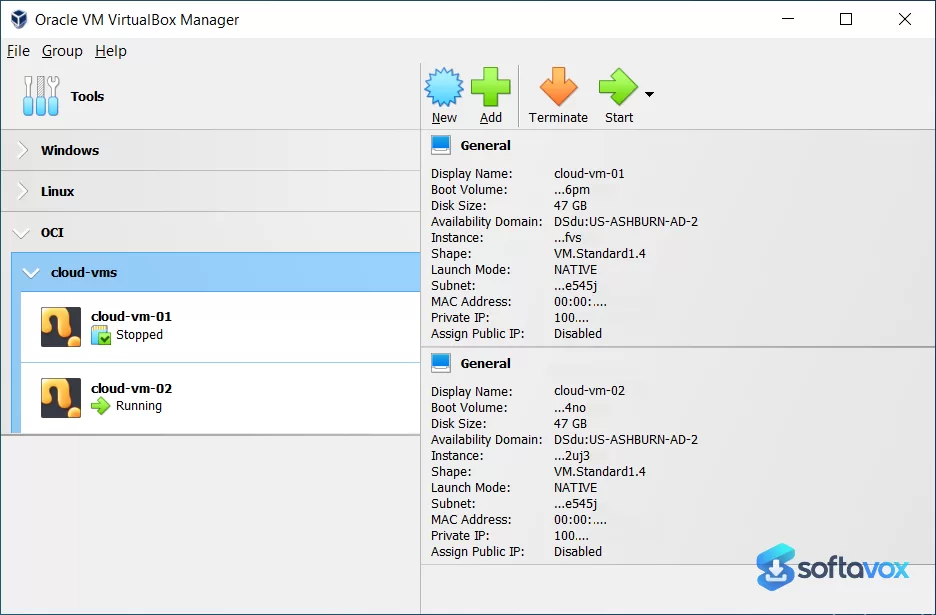
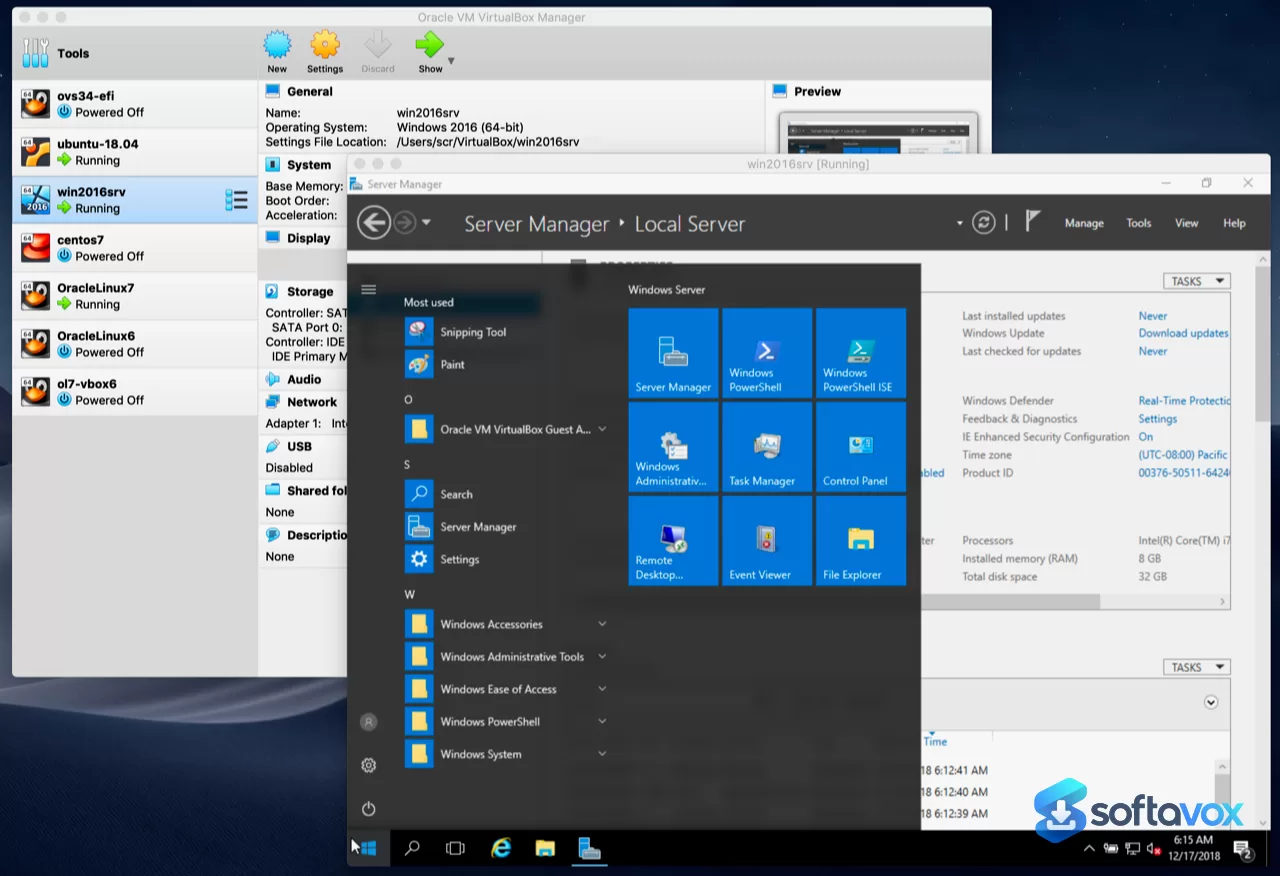
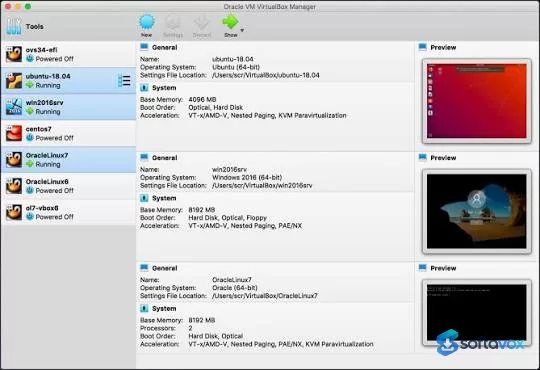
About VirtualBox
VirtualBox Download, Free, Open-Source Virtualization Software
TL;DR Quick Take / Who is this for?
Oracle VM VirtualBox is the most accessible entry point into desktop virtualization, and version 7.2.20 remains a compelling choice for developers, students, and IT professionals who need to run multiple operating systems on a single machine without spending a dime. Its core appeal is unmatched flexibility: it runs on Windows, macOS, Linux, and Solaris hosts, it is fully open source under the GPL, and it natively supports VDI, VMDK, VHD, and QCOW2 disk formats, making it easy to import virtual machines from other environments[reference:0]. The trade-offs are significant and well documented. Independent benchmarks show VirtualBox trails VMware Workstation Pro in disk I/O by a wide margin, roughly 3.2x slower sequential read throughput, and its 3D graphics performance is capped at OpenGL 2.1, making it unsuitable for graphics-heavy workloads or modern 3D application testing[reference:1]. RAM overhead is also higher per guest VM, which becomes noticeable when running multiple machines simultaneously[reference:2]. The licensing situation requires careful attention: the base hypervisor is GPLv2 and free for any use, including commercial, but the separately downloaded Extension Pack, which adds USB 3.0 support, NVMe, and disk encryption, carries Oracle’s proprietary PUEL license, free only for personal and educational use[reference:3][reference:4]. VirtualBox is the right pick for budget-conscious users, cross-platform teams, and anyone who values open-source transparency over raw performance. It is not the best choice for graphics-intensive testing, heavy production workloads, or commercial deployments that require the Extension Pack without paying for an enterprise license.
Quick Info Box
| License Type | Open source (GPLv2 for base package); Extension Pack is proprietary PUEL (free for personal/educational use) |
|---|---|
| File Size | Approx. 100–120 MB (platform package, varies by host OS) |
| OS Compatibility | Windows, macOS (Intel and Apple Silicon), Linux, Solaris (host); supports a vast range of guest OSes |
| Latest Version | 7.2.20 |
| Developer | Oracle Corporation |
Key Features & Real-World Usability
VirtualBox’s feature set is built around flexibility and cross-platform reach rather than raw speed. The software’s truly cross-platform host support is its defining strength: it runs natively on Windows, macOS, Linux, and Solaris, making it the only major desktop hypervisor that covers all four[reference:5]. This matters for teams that use mixed host operating systems and need to share virtual machines without conversion. Disk format versatility is another practical advantage. VirtualBox natively handles VDI, VMDK, VHD, and QCOW2 formats without manual conversion, so you can import VMs created in VMware or Hyper-V environments and get to work immediately[reference:6]. The snapshot and backup capabilities are praised by users for efficient backup management and learning workflows, and the native Vagrant and Docker integration makes it a natural fit for developers who manage local environments through command-line and infrastructure-as-code tools[reference:7][reference:8]. The Extension Pack adds essential features for many users, USB 2.0/3.0 device passthrough, NVMe storage support, VirtualBox RDP, and disk encryption, but it is important to understand that this is a separate download with a different license than the base hypervisor. The limitations are the ones reviewers consistently flag. 3D graphics performance is the most significant: VirtualBox’s OpenGL 2.1 ceiling makes it unsuitable for graphics-heavy workloads or modern 3D application testing, and GPU-bound rendering benchmarks show VMware delivering roughly 5.6x the frame rate[reference:10][reference:11]. Disk I/O trails VMware substantially, with the PVSCSI and NVMe controllers in VMware Workstation Pro delivering roughly 3x higher sequential read throughput than VirtualBox[reference:12]. RAM overhead is higher per running guest than VMware, which becomes noticeable when multiple VMs are active[reference:13]. The interface is functional and approachable for beginners, but it lacks a tabbed view, each VM opens in a separate window, which gets unwieldy when managing several guests at once[reference:14][reference:15]. Finally, security requires vigilance: 2026 has seen a steady stream of CVEs affecting VirtualBox, including high-severity flaws like CVE-2026-71129 (CVSS 8.2) and CVE-2026-71113, a remotely exploitable crash via RDP[reference:16][reference:17]. Running an outdated version is not advisable.
- True cross-platform host support: Runs on Windows, macOS, Linux, and Solaris hosts, the broadest host coverage of any major desktop hypervisor[reference:18].
- Broad disk format compatibility: Natively handles VDI, VMDK, VHD, and QCOW2 formats, simplifying VM imports from VMware and Hyper-V environments[reference:19].
- Snapshot and backup management: Users praise the snapshot functionality for efficient backup management and learning workflows[reference:20].
- Native Vagrant and Docker integration: Acts as the default provider for Vagrant, fitting into CLI and infrastructure-as-code workflows[reference:21].
- Extension Pack (separate download): Adds USB 2.0/3.0 support, NVMe, VirtualBox RDP, and disk encryption, but under a proprietary PUEL license.
- Beginner-friendly interface: Described as very intuitive and perfect for those new to virtualization[reference:23].
Pros, Cons & Community/User Feedback
User sentiment around VirtualBox is broadly positive on value and accessibility, with consistent complaints about performance and platform-specific bugs. On Software Advice, the software holds a 4.6 average from 888 reviews, with 84% of users recommending it. Value for money scores 4.7, ease of use 4.3, and functionality 4.5[reference:24]. Reviewers frequently highlight its role as a free, open-source tool for testing and education. One user notes it "creates a completely separate environment where I can do all the experiments I want without worrying about messing up my main environment," though they add that "running multiple environments can eat up memory quick" and that "setting up NAT and USB can sometimes be a hassle". Another long-term user praises it as "free and open source" with "a big community support," while acknowledging "there are many bugs from time to time. Especially on macOS". The positives are consistent: VirtualBox is free, cross-platform, and genuinely useful for development, testing, and learning. The complaints fall into three categories. First, performance: "Performance isn’t always great when running heavy workloads," and "performance is slow on computer hardware few years old"[reference:27]. Users also report that USB data transfer speed is a major con, and that it "struggles with certain OS versions, especially newer ones," requiring significant tweaking. Second, stability and bugs: "It is pretty buggy, and I was spending more time hunting down errors and obscure error messages than I was working," and "Guest Additions doesn't work properly with all the OSes"[reference:31][reference:32]. Third, security: 2026 has brought a wave of CVEs, including a critical local privilege escalation flaw (CVE-2026-35246) and a remotely exploitable RDP crash (CVE-2026-71113)[reference:33]. Oracle has patched these issues, but running an unpatched version leaves the host exposed. The practical takeaway is that VirtualBox’s core value, free, cross-platform, accessible virtualization, is consistently praised, while its performance gap versus VMware, its bugginess on certain hosts, and the need for prompt security updates are the areas where frustration accumulates.
Pros
- Completely free and open source (GPLv2) for the base hypervisor, with no commercial use restrictions[reference:34].
- Broadest host OS support of any major desktop hypervisor: Windows, macOS, Linux, and Solaris[reference:35].
- Native support for VDI, VMDK, VHD, and QCOW2 disk formats simplifies migrations[reference:36].
- Strong snapshot and backup functionality praised by users[reference:37].
- Native Vagrant and Docker integration for developer workflows[reference:38].
- 4.6 average rating from 888 Software Advice reviews, with 84% recommending it[reference:39].
- Intuitive interface suitable for beginners[reference:40].
Cons
- Disk I/O trails VMware by roughly 3x in sequential read throughput[reference:41].
- 3D graphics capped at OpenGL 2.1; GPU-bound rendering is roughly 5.6x slower than VMware[reference:42].
- Higher RAM overhead per guest VM, noticeable when running multiple machines simultaneously[reference:43].
- Extension Pack is proprietary PUEL, free for personal/educational use, but commercial use requires an Oracle enterprise license[reference:44].
- Frequent bugs and stability issues, particularly on macOS[reference:46].
- No tabbed interface; each VM opens in a separate window[reference:47].
- Steady stream of security vulnerabilities in 2026, including high-severity CVEs requiring prompt patching[reference:48].
- USB setup and device passthrough can be a hassle for users.
Final Verdict & Safe Download Advice
VirtualBox remains the best free, open-source entry point into desktop virtualization, and for developers, students, and IT professionals who need a cross-platform, budget-friendly tool for testing and development, it is still a strong recommendation. The base hypervisor is genuinely free for any use, the disk format flexibility makes it easy to work with VMs created elsewhere, and the snapshot and Vagrant integration are real time-savers. The trade-offs, however, are steep enough that the choice between VirtualBox and VMware Workstation Pro, which has also been free for all use cases since November 2024, is no longer obvious. If you need raw disk I/O performance, modern 3D graphics testing, or lower memory overhead when running multiple VMs, VMware is the better technical choice[reference:50]. If you value open-source transparency, the broadest host OS support, and a tool that is free for commercial use without licensing complications, VirtualBox earns its place. The decision comes down to your priorities: performance versus flexibility, and convenience versus open-source principles. For anyone who needs a free, cross-platform hypervisor for light development and testing, VirtualBox delivers. For production-adjacent workloads or graphics-heavy testing, look at the alternatives first. Either way, keep VirtualBox updated: 2026 has seen a steady stream of CVEs, and running an unpatched version is a genuine security risk.
- Download only from virtualbox.org: The official site distributes the platform packages and the Extension Pack directly. Third-party “VirtualBox download” portals may repackage installers with unwanted software, and the official site is the only source that guarantees you are getting the vendor-signed package[reference:51].
- Verify the installer size and version: The platform package is approximately 100–120 MB depending on the host OS, and the current version is 7.2.20. A dramatically smaller file or an older version number from an unofficial source is a warning sign[reference:52].
- Check system requirements before installing: VirtualBox runs on Windows, macOS (Intel and Apple Silicon), Linux, and Solaris hosts. It requires a 64-bit host OS and hardware virtualization support (VT-x/AMD-V) enabled in BIOS/UEFI for acceptable performance.
- Update immediately to address 2026 CVEs: Version 7.2.20 includes fixes for critical security issues, including CVE-2026-71113 (remotely exploitable RDP crash) and CVE-2026-35246 (local privilege escalation)[reference:53]. Running an older build leaves the host exposed to known exploits.
- Understand the Extension Pack license before commercial use: The base hypervisor is GPLv2 and free for commercial use, but the Extension Pack, required for USB 3.0, NVMe, and disk encryption, is under Oracle’s PUEL, which is free only for personal and educational use[reference:54]. Commercial deployments require a paid Oracle enterprise license.
- Do not download “cracked” or “pre-activated” versions: VirtualBox is free and open source. Any site offering a “Pro” or “cracked” version is distributing malware. The official installer and the legitimate Extension Pack are the only safe options.
Similar software


Key features
- Native ARM Virtualization, Run ARM-based Windows 11 guests on ARM hosts, including Apple Silicon, with full Guest Additions support
- Linux Video Hardware Decoding, Automatic acceleration when 3D is enabled on Linux hosts
- NVMe Controller in Base Package, No Extension Pack needed for NVMe storage
- Global Shared Folders, One folder shared across all VMs
- Redesigned Toolbar, Global tools on left, VM tools as tabs on right
- VM Encryption in Base Package, Disk and VM encryption moved to open-source core
- VRDP Server in Base Package, Remote desktop support without Extension Pack
- USB Smartcard Emulation in Base Package, Moved from proprietary extensions
- Linux Kernel Support, Up to kernel 7.3 in the latest maintenance releases
- Wider Disk Format Support, VDI, VMDK, VHD, QCOW2 natively
- Vagrant & Docker Integration, Native provider support for CLI workflows
- Cross-Platform Hosts, Windows, macOS, Linux, Solaris
- Free & Open Source, GPL v2 core, no cost for personal use
Frequently asked questions about VirtualBox
Is VirtualBox safe?
Is VirtualBox free?
What systems does VirtualBox run on?
What is VirtualBox used for?
Does VirtualBox require the Extension Pack?
How do I update VirtualBox?
Versions
| Version | Release date | Platform | File size | |
|---|---|---|---|---|
| VirtualBox 7.2.20 Latest version | Oct 13, 2026 | WindowsUbuntu 26.04Debian 13macOS | 169.9 MB | Download |
Comments about VirtualBox
No comments yet. Share your experience with this program!